
Q1. Can I sign into more than one device with same operating system at the same time using the same username to play the Game?
A1. No, you can only sign into one device at a time.
Q2. Can I play the Game offline?
A2. Yes, once you have the Game/App on your device, you can play the Game offline but updating of your progress and scores on the Leaderboard can only happen when you are connected to a network. To see how you rank against other players, you need to get your progress, and scores updated on the Leaderboard by connecting to a network.
Q3. After signing/logging into the Game/App for the first time and listening to the Voice-over with Game Instructions, how do I get another opportunity to listen to that?
A3. You must sign out of (not quit) the Game/App and as soon as you sign in again, the Voice-over with Game Instructions will run again, and this can be done as often as necessary.
Q4. How does a player initiate play after logging/signing into the Game/App?
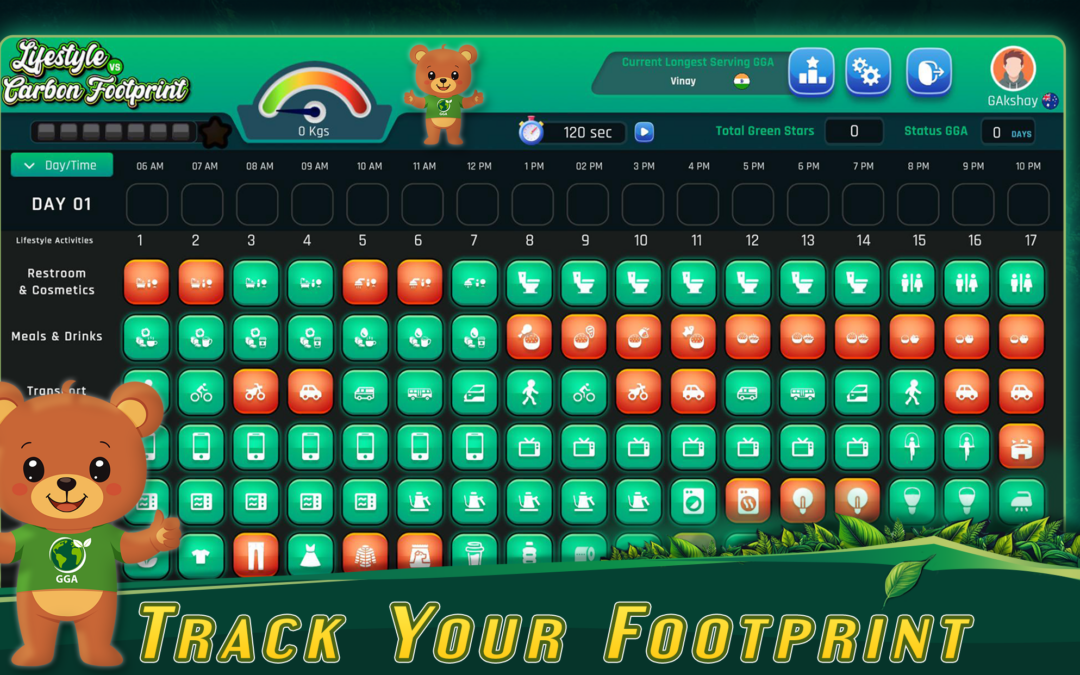
A4. Play is initiated by tapping on the tiles with lifestyle choices icons. After tapping a tile as selection for the first hour of the first day, the Legend Screen will appear for 10 seconds before the lifestyle choices icons can reappear to allow the player to continue playing. It is at this moment that the 120 seconds count down commence.
Q5. How does a player ensure that the next time they log/sign into the Game/App, they have lifestyle choices icons to tap on to initiate the play?
A5. To ensure that there are always lifestyle choices icons available to initiate the play, upon completing Day 7, a player must make sure that they proceed to the following week before quitting or signing out. Quitting or signing out when the lifestyle choices icon section is empty will lead to non availability of icons upon the next logging or signing in. To make the lifestyle choices icons available, a player needs to reset the Game under Setting which has the disadvantage of having all the scores accumulated up to that stage lost.
Q6. What is the maximum number of times a player is allowed to change a username andcountry?
A6. You can only change your username (minimum of 6 and maximum of 12 characters) and country once.
Q7. What is the maximum number of player names that can appear on the Leaderboard?
A7. Up to 10 player names can appear on the Leaderboard as long as each of those players have a Star to their name. Priority of ranking is based on Global Green Ambassador (GGA)
status followed by the number of Stars with the top 3 players assigned with Gold, Silver and Bronze medals.
Q8. How can a player attain GGA status?
A8. By winning 5 games /weeks consecutively.
Q9. Do the Stars obtained before or after the 5 weeks consecutive winning to attain the GGA status also add up to the total Stars that a player has?
A9. Yes, all Stars obtained over and above the 5 Stars obtained consecutively that led to attaining the GGA Status also add up to the total Stars of a player.
Q10. What will happen if I reset the Game?
A10. You will lose all your scores and GGA status if you had attained it and must start all over.
Q11. What is meant by Status GGA Days?
A11. These are the number of days a player has played in the Game after attaining GGA Status.
Q12. What is meant by Status GGA Streak in weeks?
A12. These are the number of weeks a player has played in the Game after attaining GGA Status.
Q13. Will I be able to access the Leaderboard if I log in as a Guest?
A13. No, you won’t be able to access the Leaderboard if you log in as a Guest.
Q14. Will my scores appear on the Leaderboard if I log in as a Guest?
A14. No, your scores won’t be recorded on the Leaderboard if you log in as a Guest.
Q15. What do I do if I am unable to read the small characters on the Legend Screen?
A15. You can take a screen shot that you could zoom in outside of the Game as you prefer to understand the content.
Q16. How can I compete with friends remotely.
A16. You can take dated and timed screenshots to share with one another to show each player’s total number of Stars and then agree on the duration of the Game to see how many Stars each player achieves during that period and share the dated and timed screenshots again for verification purpose.
Q17. Can the purchased retries carry over to the following days and weeks?
A16. Yes, the purchased retries carry over to the following days and weeks as on each day, there is an initial try and five additional ones provided of which if all used up, that is when the retries kick in and if they are all not used on a day, then they can then carry over and do not expire.